
If you have a PayPal account but wish to pay by card without logging in, you may experience the following issue:
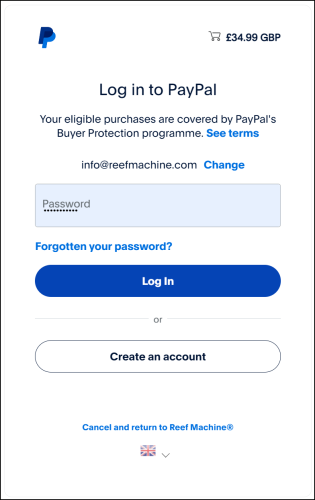
Option 'pay by debit or credit card' does not appear below 'Log in'.
Instead, 'Create an account' is displayed, see screenshot below.
Reason:
Cached data & cookies from https://www.paypal.com
To resolve:
Visit https://www.paypal.com in a new tab, delete Site Data & Cookies, return & refresh page to continue.
Once site data & cookies are deleted, refreshed page should appear as below:
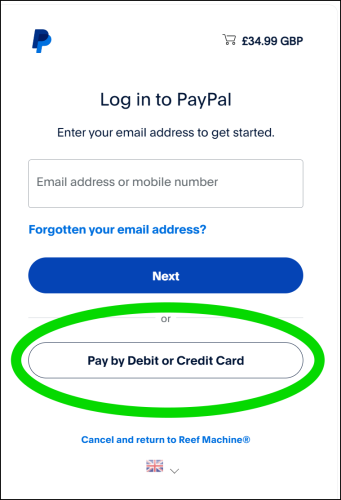
Click option circled above & enter your e-mail in the field displayed below:
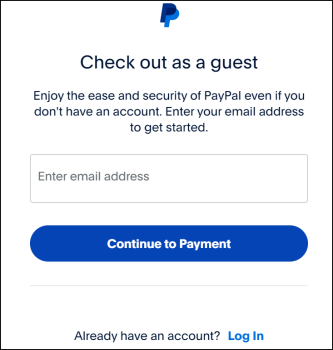
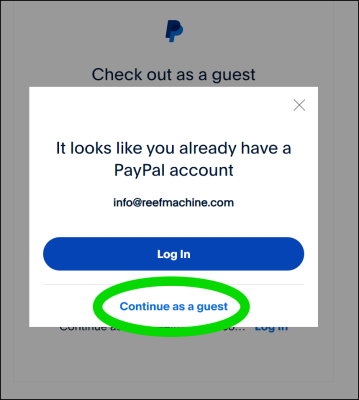
Click 'Continue to Payment' & 'Continue as guest', as displayed below:
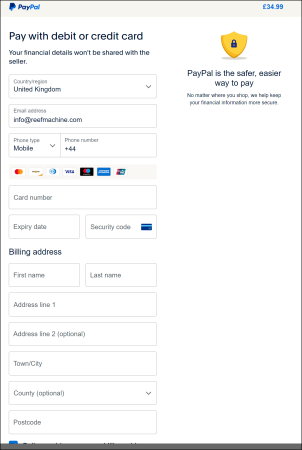
Securely enter payment details in the next step:
IMPORTANT: If different to Billing address, please unselect option circled below & provide correct delivery address (orders can only be shipped to the address provided on the PayPal transaction).
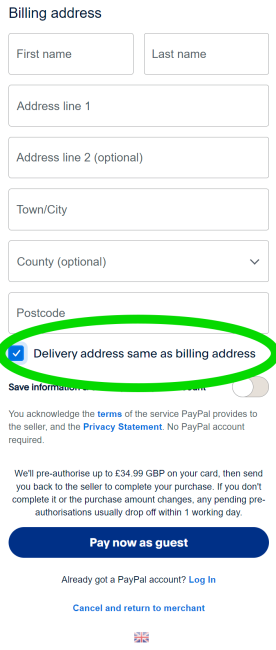
Finally, click 'Pay now as guest' to complete the transaction & click to return to our website.